Since it’s nearing 6 years I’ve been using linux, I just wanted to write about my experiences with Linux. Or as I’ve recently started referring to it: GNU/Linux.
Beginnings
Linux first appealed to me because of privacy and internet freedom. I think there was also a rebellious mentality that led to me not wanting to use Windows as well. Back in 2019, I was my senior year of middle school when the idea of digital privacy and freedom floated around my YouTube feed for a while. Mental outlaw and Luke Smith were a lot what I was consuming, and when I got my first laptop, I made sure to get an AMD one since the internet told me that AMD would be more compatible with desktop Linux. This is less of an issue now in 2025, since AI has forced NVIDIA to actually create some open source drivers. Back before 2019, I was pretty much computer illerate, I guess I knew how to open up Minecraft and knew about files and folders. Some people in middle school have already figured out game modding but since I wasn’t a PC gamer I did not have any experience of anything truly technical.
First Laptop
My first laptop is basically a trash consumer laptop that HP put out for budget consumers, at the time it was 24k NTD? That’s around 785USD, which is quite a lot for the build quality and components it has. The model was a 14s-fq1002AU, which wasn’t sold in the US so the link is in Chinese. CPU wise it’s actually a pretty good chip, the problem is everything else. Keyboard is not great, touchpad is awful (the top film starting wearing off after a year), and the outer shell is really flimsy plastic. The main problem with it was the Wifi chip, the RTL 8852ae.
First Taste of the CLI
After unboxing, Windows 10 was preinstalled and Wifi worked completely fine. I think HP must’ve told retailers to plug it into ethernet and install drivers first because when I tried installing Linux Mint, the Wifi was just completely non existent on the GUI menus. I can’t remember the entire process but my more technically proficient dad told me maybe the drivers just don’t exist for Linux. My first problem was knowing that drivers are even a thing, much less knowing how to install a driver on Linux manually.
At some point, maybe my third day researching it, I came across lwfinger’s rtw89 repo. This repo contained the drivers I needed to get the card working, although I don’t think I fully understood what I was doing. For a couple of days, I learned how to follow the directions in the README, which thinking back now is a really simple process. I think the biggest hurdle was getting through the pain of wrapping my head around different concepts since not knowing very basic concepts ruins my ability to follow directions.
Installing Wifi was also a pain because of the trash quality of the IO.
The USB A dongle for ethernet I needed kept disconnecting because of instability with the hardware.
It took me several tries before I actually could even install git, and then git clone the repo.
As a side note, in 2022 I finally decided to try Arch on my laptop and made this issue because I forgot how to install the drivers.
PopOS
Throughout the process of installing the Wifi drivers, I came across PopOS and really liked the UI. At the time, I wasn’t attached to the Windows UI out of familiarity because I really wasn’t familiar with Windows either. Nowadays I avoid gnome when possible because I don’t want to learn how to use it properly.
I stayed on PopOS for a couple of years, it was the first distro that I learned what I needed to leave it. I remember in senior year middle school Social Studies class going through VimTutor to learn the editor since I saw Mental outlaw and Luke Smith use it. Vim surprisingly was kind of intuitive to me, took me a couple of days to get used to the hjkl paradigm. It won’t be until several years later that I learn how to configure it though. The default binds and features were enough for the configuration work I will be doing for a couple of years.
Minecraft Server
Entering highschool, my friends wanted a Minecraft server. We started off by using the free to use Aternos hosting service, but the lag was almost unbearable. Also, one of the admins had to be online to turn the server on because there’s a timeout on Aternos where if no users are in the server, the server shuts down after the timeout.
My solution was to self host. Since I was already on PopOS, I felt pretty comfortable installing Ubuntu (Gnome) onto an old computer that was about to be trashed. At the time however, I didn’t know about headless servers. I had the computer on for most of the day and turned off when my session ended since I was normally the last to log off.
This began my exploration into selfhosting.
Arch
In 2022, I got my first computer. At first, it had Windows preinstalled and I was playing some games on it. After less than a month, I decided I wanted to tackle the hardest thing I could do related to Linux: install Archlinux. The installation process was pretty smooth, it took me maybe 3 or 4 tries to get it to install correctly. Most guides installing Linux in general uses EXT4 as the filesystem that I know now is an inferior filesystem. Later on, I would discover the importance of filesystems and have to change it all on my devices.
The Arch installation in retrospect is not hard at all, just do what the documentation and guides tell you to do. For a beginner in Linux however, I think it was tremendous for my knowledge in the command line.
Once Arch was installed the way I wanted, I started taking interest in Mental Outlaw’s desktop environment: DWM.
Ricing/DWM
I lived in the TTY for a whole day after Arch was installed, I don’t remember if I had any sleep in between.
There was no way I was installing some noob desktop environment like Cinnamon or KDE.
I was installing DWM and patching it to be the best I could get it.
If you’ve ever used any suckless software, you would know the pains of patches.
At the time, I wanted any and all features that I thought were cool and hip.
I wanted the suckless terminal, the suckless dmenu, the suckless DWM.
For many hours, I was just staring into the screen running the patch command over and over in the TTY watching it error out.
I didn’t know about tmux or screen at the time so I didn’t even have scroll on.
Nowadays, there are so many tools to patch DWM easily and they are fairly stable.
Back in 2022, they were mostly under development and the few tools available were not deemed stable (I think).
I didn’t want to take the risk and more importantly I wanted to learn how to patch manually.
Even though I complain about the process of patching and playing with suckless tools a lot, I had fun at the time because it was something new for me. After a couple of weeks or months using Arch on the PC I uninstalled though. I replaced Arch with Proxmox, more details in the next section.
After using DWM for around a year or so, I started exploring more WMs but always settled back to DWM long term. It wasn’t until in 2023 Hyprland’s first beta versions came out that I really switched away. I switched away because at some point I would have to move to Wayland in the future anyways and it seemed corporate Linux desktops were moving to Wayland. Before Hyprland, I experimented with Qtile, AwesomeWM, BSPWM, and i3.
Hyprland back in May of 2023.
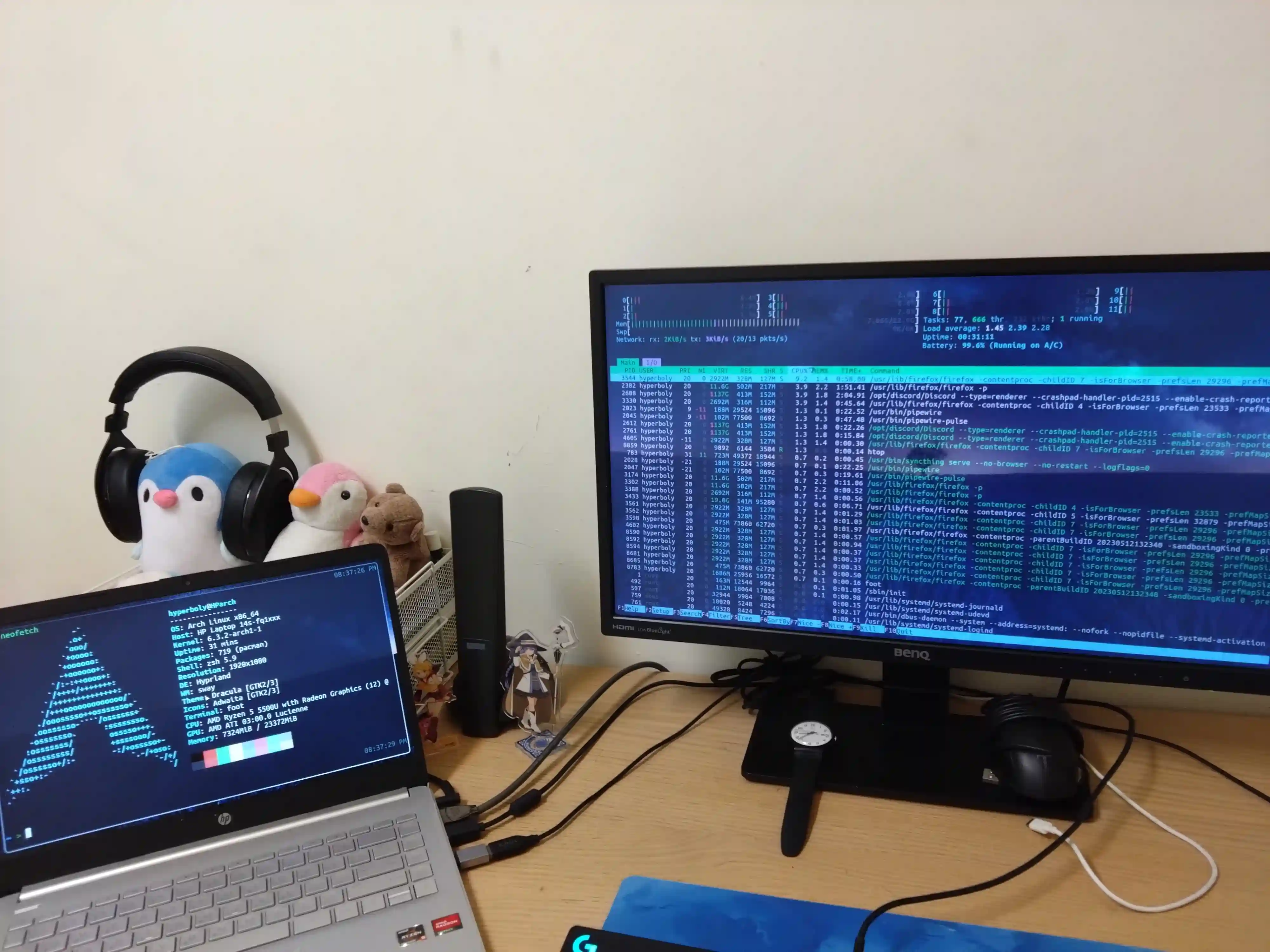
Since 2025, I have since moved on to niri, in my opinion a more secure and common sense WM.
Homelab
Since the old computer I used for the Minecraft server, I purposed my first PC into my server. Naturally the more I used Linux the more I thought about selfhosting. If I can’t program, administrate.
Proxmox
While uninstalling Arch, I knew that I still wanted to use the desktop for gaming or school. So once Proxmox was installed, my first priority wasn’t to create VMs or containers, but to get VFIO working. VFIO is Virtual Function IO, meaning passing through host hardware and VM hardware. The most common usecase that I know of is GPU passthrough. Using the default VirtIO drivers on a virtual machine has a lot of latency because it is CPU bound. Passing through a GPU allows the GUI to be GPU bound so that performance is much closer to native. The concept is quite simple: the host gives up control of a PCIe device (in this case a GPU) and allows the virtual host to take the full control of the device. As you’ll see in the post history of this blog, the first post was about VFIO for my GPU on 2022/06/07. The RX6600XT GPU and other AMD GPUs have always had this reset bug in Linux that hasn’t been fixed at all even in the 9060/9070 versions. Overcoming the bug in that kernel version with my experience at the time was kind of a milestone for me.
In the first few months of using proxmox, I mainly just used it to virtualize my desktop. Installing DWM again, getting everything set up the way my laptop was set up. Over time however, the list of things I self host grew. It started with a virtualized TrueNAS, then my own search engine, the blog you’re reading, and of course: Minecraft. My list of selfhosted services really started to look more “professional” when I started introducing monitoring tools like graylog, uptime-kuma, and zabbix.
The reason I wanted to use Proxmox was to begin moving away from cloud services as much as possible. I think I’ve gotten to 50% selfhosted capacity. All of my movies and TV shows are selfhosted, all documents on a NAS and not on cloud, and search/DNS/internet utilities are selfhosted.
ZFS
Implementing ZFS and understanding it was a pretty big milestone for me.
I used to use EXT4 on everything or was learning about LVM/mdadm for a more robust storage solution.
While on Arch, I had an installation using BTRFS for a while because that was what was popular and getting attention at the time.
However, the snapshot system of BTRFS felt strange to me because I had to use an OpenSUSE tool instead of a BTRFS implementation.
There were also multiple tools doing the same thing for BTRFS and I could never figure out an easy way to do what was effectively zfs snapshot and zfs send/zfs receive.
On my server, I was already using ZFS via Truenas, so I thought why not just use it everywhere?
The tooling and features that ZFS had were more mature and less confusing than the BTRFS ones for me, so I opted for ZFS on everything.
A virtualized TrueNAS for me just felt weird one day and I converted it to be natively in Proxmox since Proxmox supported ZFS in their kernel. Tuning ZFS for virtualization, container, and daily driver workloads was a pretty fun process to go through. I then found sanoid which helped a lot in snapshotting, where before I was using ugly cronjobs to snapshot.
Nowadays, every device I have that’s x86 is using ZFS in some capacity.
Ansible
Since my homelab grew to a level that it was a hassle to individually manage, I started looking into automation. One of the biggest reasons is this video. Basically the part where he can redeploy his entire environment within a couple of click and commands was incredible to me. This got me started on using Ansible
Adding Ansible into my workflow to manage virtual machines really revolutionalized my home server. Upgrading used to mean I had to ssh individually into my growing number of LXCs and VMs. With Ansible, 1 command and maybe I’ll need to fix something.
Ansible however, usually will have 1 or 2 problems that need fixing every couple of months when provisioning or updating. This is when I made a deep dive into Nix.
Nix
Nearing the end of highschool for me, I decided to jump right into Nix. It was a new distro for me and the features it would introduce seemed too attractive not to get into. I heard reproducibility, configuration file, more packages than the Arch and AUR, and some military company Anduril was using it? Sign me up.
Starting with ZFS, it took me about 3 days just to install it. The main issue I was having with it was ZFS encryption. How would I get the root to be encrypted with a FAT boot partition? Then I came across this article that showed me how to install it with ZFS and LUKS encryption. I still had a couple of other demands that I liked to do with ZFS I had to tune myself, so it took a while for me to learn the basics of Nix and configure those in the hardware-configuration file.
I think I really started understanding the language in the second or third month I was on Nix. I’ve never programmed a large project or committed a lot of time to programming, so learning to program in a purely functional language was pretty hard. I’m still not proficient in the language but I can mostly make out what code I’m copy pasting now.
You can find my configuration here.
>> Home